Open it once, and you are caught up.
A greeting, what moved while you were away, then today in order. The counters are the whole triage: what needs attention, what is due, what is already handled.
Kitten keeps your tasks, reminders, notes and memories in one place, sends you a daily briefing, and puts what matters on your home screen. It runs on a private backend, not a product someone else is optimising.
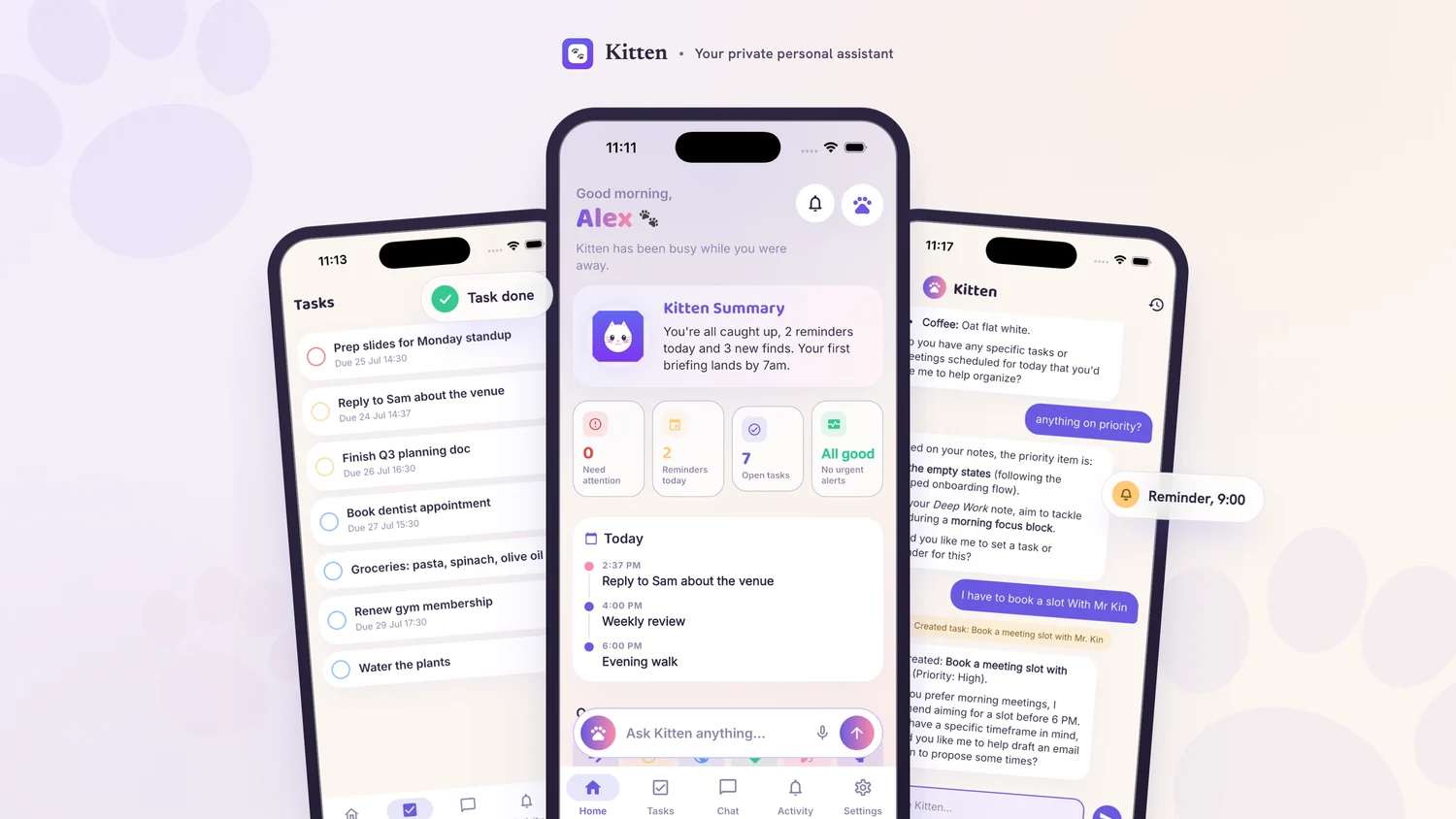
Six things, each of which has to earn its place on your home screen.
Due when you said, nudged when it matters, not on a fixed polling clock.
What you tell it to remember becomes a rule the system enforces, not a hint.
One read in the morning: what is due, what changed, what needs an answer.
Today, attention, briefing and quick capture, on iOS and Android.
A scoped MCP endpoint so Claude Code, Cursor and friends can reach your state.
One tap in Settings removes the account and everything in it.
Five screens carry almost the whole day. Keep scrolling and each one takes its turn.
A greeting, what moved while you were away, then today in order. The counters are the whole triage: what needs attention, what is due, what is already handled.
Ask for something in a sentence and it becomes a real task, a reminder, or a saved note, on your own data. It tells you exactly what it created, so nothing happens quietly.
Preferences, names, the coffee order. What you tell it to remember becomes a rule the system enforces later, not a hint some model may or may not honour.
One list, split two ways, each row saying when it is due. No projects to maintain, no board to groom, no ceremony before you can write something down.
The server wakes on the actual due time rather than polling a clock, so a reminder lands when you said and not a quarter hour later. Mute by category, or switch the lot off.
Good morning,
Kitten has been busy while you were away.
You're all caught up, 2 reminders today and 3 new finds. Your first briefing lands by 7am.
Anniversary on October 12.
Prefers morning meetings; no calls after 6pm.
Manager is Priya; skip-level is David.
Coffee order: oat flat white.
Kitten is not on the public stores. It is distributed privately, so access runs through a tester list on both platforms.
Opt in with the Google account you want to use, then install from Play as normal. Your address has to be on the tester list first; if the opt-in page says the programme is not available, ask for access and it will be added.
Ask to be added if the opt-in page turns you away.
The listing is invite only, so the App Store page opens for you only once your Apple ID has been added. Send the address you want the invite to reach and it arrives by email, usually within a day.
The request button opens your mail app with the details already filled in.
Signing in. Use an email and password, or Google, or Apple. The first sign-in makes an empty account, and deleting it removes everything in it.